The most useful feature on many new phones is the one owners test least. Sending a message when no cell tower is in range sounds minor until you need it. Satellite messaging phones have moved from niche rugged handsets into mainstream devices, and the change matters for anyone who drives rural roads or hikes. Here is what it does and where it fails. Set it up before your next trip.
What Satellite Messaging Phones Actually Do
When Apple launched the iPhone 14 in September 2022, it added Emergency SOS via satellite, letting users reach emergency services without a cellular signal. The connection runs through a satellite network rather than a tower, so the phone needs a clear view of the sky. Apple’s version was limited to emergency contact, which is why it felt like a safety net rather than a real phone. Short texts only.
Newer models have widened the scope. Google added satellite SOS to the Pixel 9 series in 2024, and carriers have started offering two-way texting over satellite in supported apps. The core idea stays the same: a small data link carries short messages when the cell network is gone. That is the whole trick.
Quick Tips
- Check sky view first, since satellite links need open sky away from tree canopy and canyon walls.
- Confirm that your carrier or device plan includes satellite messaging before you travel.
- Send a test message at home so you know the app and contact steps.
- Save emergency numbers and offline maps before you lose signal.
Why Dead Zones Still Catch People Off Guard
Long stretches of highway across rural Nevada and Wyoming can run for miles without a usable bar of signal. Cell coverage maps show towers, but they rarely show the gaps between them. The result is that drivers assume their phone will work until the moment it does not.
Terrain makes it worse. Deep valleys, dense forest, and steep canyon walls block radio signals in ways a coverage map cannot predict. Satellite links solve the coverage problem, but they introduce a new one. They need line of sight to the sky.
| Option | Best For | Main Trade-off |
|---|---|---|
| Phone with built-in satellite SOS, such as iPhone 14 or Pixel 9 | Emergency calls and location sharing | Emergency-focused, not full texting |
| Dedicated messenger, such as Garmin inReach Mini 2 | Two-way texts and check-ins far from roads | Separate device, plus a paired app and subscription |
| Carrier satellite texting, such as T-Mobile T-Satellite | Everyday texts in supported apps | Needs a compatible plan and a clear sky |
The Mistake That Strands Hikers With Working Phones
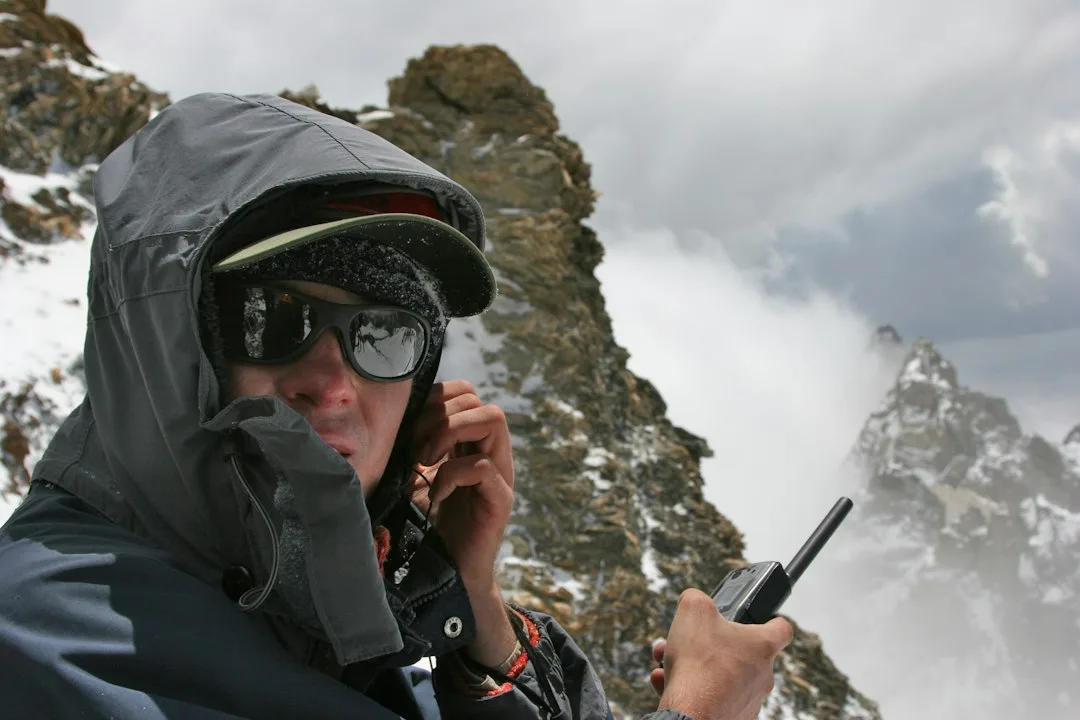
The most common error is treating satellite messaging as a backup you can use anywhere. Picture a hiker in a narrow canyon who pulls out a phone, sees no bars, and holds it at waist height while walking along the rock wall. Canyon walls block the sky, so the link never forms. That hiker loses the window when a message could have gone out.
The fix is simple but easy to skip. Move into open ground and hold the phone with the screen facing the sky. Wait for the satellite indicator before typing. Most people never test this, so they learn the limit at the worst possible moment.
How to Set Up Before You Lose Signal
Start with the device, not the emergency. Open the settings menu, find the satellite section, and confirm which contacts and emergency services appear in the setup screens. Many phones walk you through a short onboarding that takes only a few minutes.
Next, check your plan. A carrier may bundle satellite texting into certain plans, while other plans require an add-on. Ask before you leave, because activation at a trailhead is much harder than activation at your kitchen table. Do it at home.
Enter two contacts who can relay a message if needed. Agree on a check-in time before any trip into remote country. For a broader look at how digital tools are being designed around personal safety, see Shaping the Future of Safe Digital Interaction.
Where Satellite Texting Is Heading Next
Carriers and chipmakers are racing to bring satellite links into everyday phones. Starlink’s direct-to-cell service, launched with T-Mobile in 2025, shows that a phone can connect without special hardware. Expect more models to ship with the capability and fewer to treat it as an extra.
The open question is speed and cost. Satellite messaging works best with short texts, and throughput will decide whether users can send photos or maps during an emergency. Watch for those limits before you rely on the feature for work. Read the fine print.
Choosing a satellite messaging plan that fits your needs
Phone makers now bundle satellite features in different ways, and the best choice depends on how you travel. Apple’s Emergency SOS via satellite, introduced with the iPhone 14 lineup, lets users send short text messages to emergency services when no cellular or Wi-Fi signal is available. Google’s Satellite SOS on the Pixel 9 series works on a similar principle, using the Skylo network to reach emergency responders.
Those emergency-first features are not the same as a general messaging service. Apple and Google both guide users through a short question-and-answer flow, which helps responders understand the situation with minimal typing. Neither is designed for chatting with friends across the country, so check what the service is meant to do before you depend on it.
Dedicated devices fill the gap for people who spend long stretches off the grid. The Garmin inReach Messenger line pairs with a smartphone app and lets you exchange messages with any contact, along with an SOS button that connects to a 24-hour response center. Hikers, sailors, and field crews often carry one because it does not rely on the phone’s own satellite hardware.
Before you buy, look at the coverage map for the network you plan to use and confirm that your route falls within it. Check whether the service is included with the phone or sold as a separate subscription, and compare monthly fees against how often you expect to need it. Test the feature at home, sending a message to a friend, so you know the steps before you are under pressure outdoors.