Most people still type the same handful of passwords into banking, shopping and email apps every week. Passkeys are starting to replace those typed codes with a fingerprint, face scan or screen lock. The shift is quiet, but it changes what your phone does when you sign in.
Why Typed Passwords Stopped Working
Apple, Google and Microsoft each built passkey support into their operating systems and account systems. That matters because a password is only as safe as the habit behind it. People reuse them, write them down and fall for lookalike login pages.
A passkey removes the thing a scammer can steal. Instead of a shared secret, your device creates a unique key pair for each site. The private half stays on your device, and the site only stores the public half.
A stolen password works from anywhere in the world. A passkey only works on the device that holds it, which is a far narrower target.
Quick Tips
- Check the security settings of your bank, email and shopping apps for a passkey option.
- Confirm your phone has a screen lock turned on, since it guards every passkey.
- Keep at least one backup sign-in method until you have tested the passkey on a new device.
How Passkeys Replace Passwords
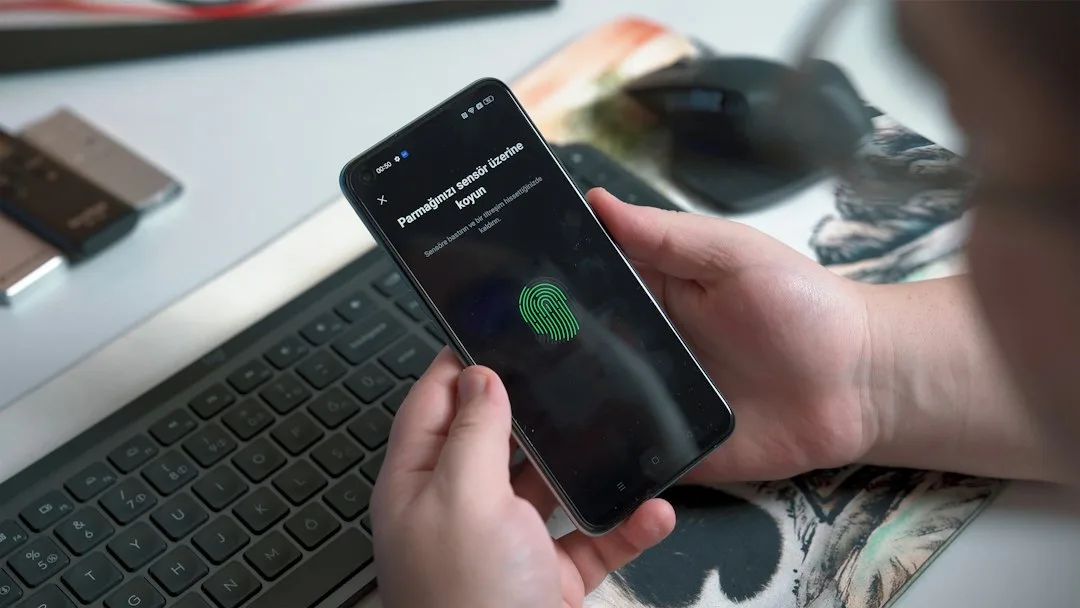
When you create a passkey, the site asks your device to generate a cryptographic key pair. Your phone stores the private key in secure hardware, and the public key goes to the website. Signing in means your phone proves it holds the private key, after you unlock it with a fingerprint or face scan.
Nothing typed crosses the network. That is the part that stops phishing. A fake login page cannot use a passkey because the key is bound to the real domain name.
Your password manager can also hold passkeys now. Google Password Manager and iCloud Keychain sync them across your signed-in devices. Third-party managers such as 1Password store them too, so you are not locked to one ecosystem.
Here is how the main options compare for everyday logins.
| Sign-In Method | What You Carry | Phishing Exposure |
|---|---|---|
| Typed password | Memory or a note | High, since it can be typed into a fake page |
| Password manager autofill | Vault login | Medium, depends on accurate site matching |
| Passkey | Phone or synced key | Low, bound to the real domain |
The Mistake That Locks People Out
The most common error is treating a passkey as a replacement for every backup. Take a common case: someone sets up a passkey on an old phone, trades it in, and never removes the account from the device. Then the new phone lacks the key, the old phone is gone, and recovery turns into a support ticket.
Another version involves screen locks. People turn them off to speed things up. A passkey without a device lock is much weaker, because anyone holding the phone can approve sign-ins.
Keep the lock on, and keep a backup method for every important account.
Where Sync Works and Where It Stops
Sync decides how useful a passkey is. iCloud Keychain works across Apple devices signed into the same Apple Account. Google Password Manager covers Android phones and Chrome browsers signed into the same Google account.
Cross-platform use gets messy. A passkey saved in one vendor’s system may not appear on a phone from another company without an extra step. Read the site’s help page before assuming a new laptop will pick it up.
Security habits still count across all of this. Protecting your inbox matters most, since an email reset can unlock nearly everything else. Our piece on Shaping the Future of Safe Digital Interaction covers the wider picture of protecting daily digital use.
Setting Up Your Accounts This Week
Start with the accounts that matter most. Email comes first, because a reset link can open the rest. Banking and your main shopping account come next.
Open each site’s security settings and look for a passkey or sign-in option. Follow the prompt, unlock your phone, and confirm. Then sign out and test the login once to be sure it works.
Write down nothing sensitive. Keep recovery codes in a password manager vault, not a loose note. Review sign-in alerts too, because an unexpected prompt is the first sign something is wrong.
Review your list every few months as sites add support.
What Still Cannot Be Fixed
Passkeys do not stop a scammer from tricking you into approving a sign-in on a real site. They also do not remove the need for account recovery planning. Some services still rely on older methods for recovery, which can be a weak point.
Expect more sites to offer passkeys during account setup over the coming year. That will shift the default toward phone-based sign-in, but the older methods will linger for a while.
Treat passkeys as a stronger default, not a finished solution. Pair them with a device lock, an updated phone and trusted recovery contacts. That combination closes most of the gaps people run into.